Download · Vellum 1.0.1 · free and open source
Download Vellum.
It comes in two pieces: Vellum, the app where you see your map, and Vellum Bridge, the mod that takes your city out of the game. Start with the app.
Step 1 of 2 · the app
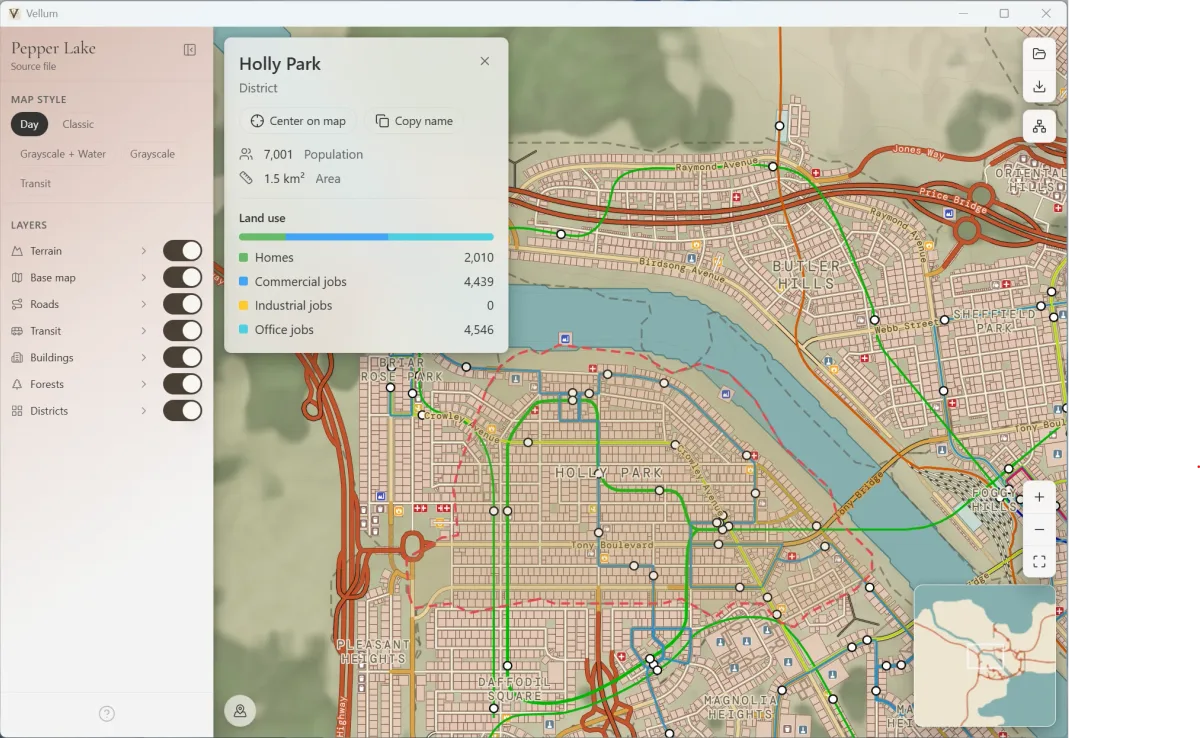
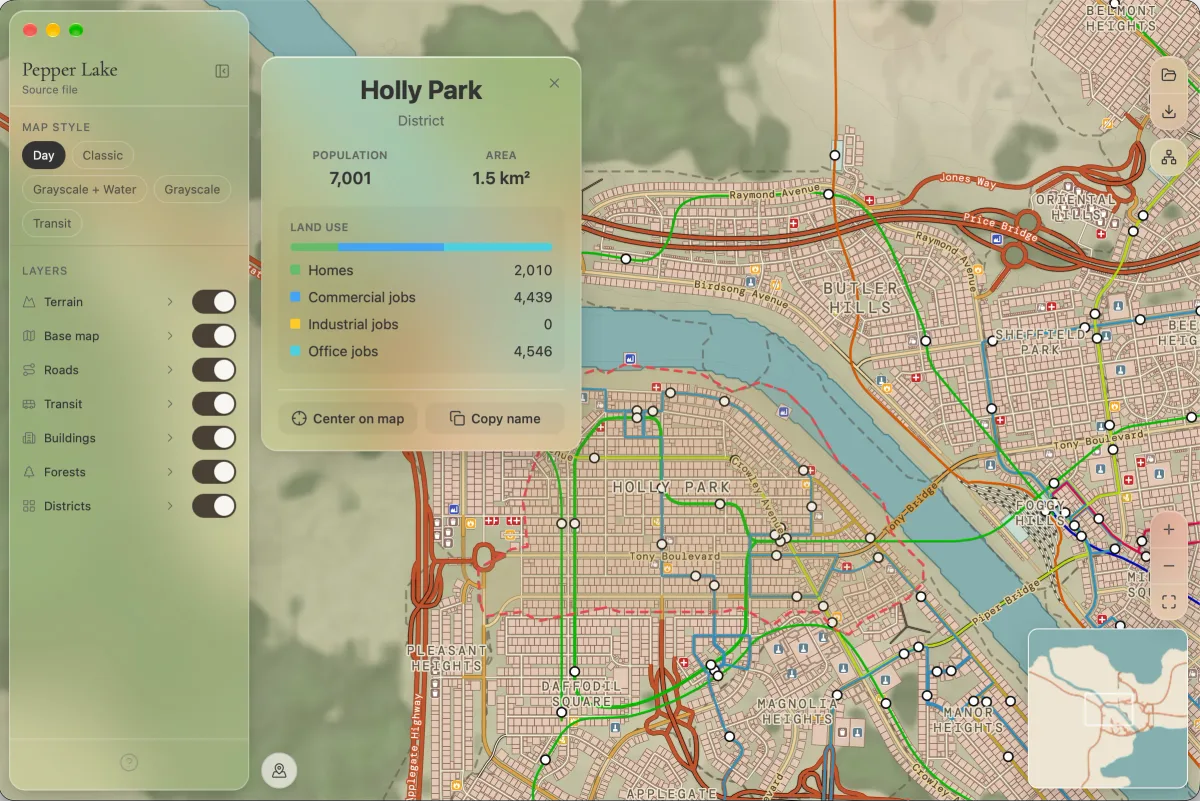
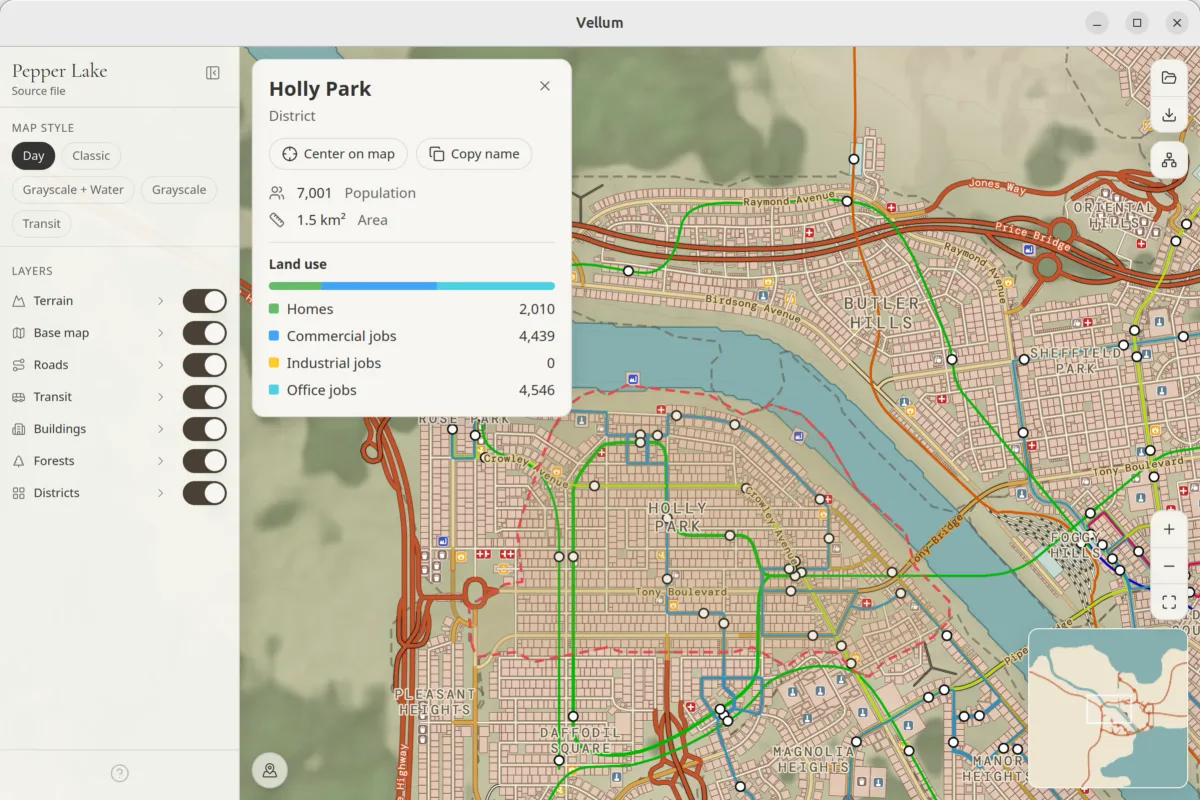
Every platform
Windows, macOS and Linux.
Windows 10 1809 or later · x64
Windows
- Microsoft Store · signed, updates itself

 (opens in a new tab)
 - .exe · installs for your user, no administrator rightsVellum_1.0.1_x64-setup.exe · 10.6 MBDownload .exe · Vellum_1.0.1_x64-setup.exe
- .msi in English · managed machines; can associate .cslmap filesVellum_1.0.1_x64_en-US.msi · 12.7 MBDownload .msi · Vellum_1.0.1_x64_en-US.msi
- .msi in Spanish · managed machines; can associate .cslmap filesVellum_1.0.1_x64_es-ES.msi · 12.7 MBDownload .msi · Vellum_1.0.1_x64_es-ES.msi
Not code-signed: SmartScreen may warn you the first time. The Store doesn't show that warning. What to do
- Microsoft Store · signed, updates itself
Apple Silicon and Intel · macOS 10.15 or later
macOS
- universal .dmg · Apple Silicon and IntelVellum_1.0.1_universal.dmg · 22.8 MBDownload .dmg · Vellum_1.0.1_universal.dmg
Vellum isn't notarized by Apple yet, so the first time macOS may refuse to open it. Go to System Settings → Privacy & Security and allow Vellum to open. If macOS still refuses, in Terminal:
xattr -cr /Applications/Vellum.appx86_64
Linux
- .deb · Debian, Ubuntu and derivativesVellum_1.0.1_amd64.deb · 13.5 MBDownload .deb · Vellum_1.0.1_amd64.deb
- .AppImage · any other distribution; mark it as executableVellum_1.0.1_amd64.AppImage · 87.6 MBDownload .AppImage · Vellum_1.0.1_amd64.AppImage
- .rpm · Fedora and RHELVellum-1.0.1-1.x86_64.rpm · 13.5 MBDownload .rpm · Vellum-1.0.1-1.x86_64.rpm
Step 2 · essential: Vellum Bridge, in the game. Go to step 2
Step 2 of 2 · essential
Now, Vellum Bridge.
Without Bridge, Vellum has nothing to draw. It's the mod that takes your city out of Cities: Skylines: in the game you press the Bridge button or Ctrl + Shift + E and it saves a .vellummap file that Vellum opens. It works offline and only reads: nothing in your save changes.
With Steam · recommended
Subscribe on Steam Workshop
Steam installs it and keeps it up to date. Then, in the game, enable it in Content Manager → Mods.
Subscribe on Steam Workshop(opens in a new tab)Without Workshop
Manual install
For copies of the game without Workshop, like the Epic Games one. It is the same Bridge as the Workshop one.
VellumBridge-1.0.0.zip · 0.1 MB
- Download the zip and unzip it: inside is a
VellumBridgefolder. - Copy that folder into the game's mods folder:
- Windows
%LOCALAPPDATA%\Colossal Order\Cities_Skylines\Addons\Mods - macOS
~/Library/Application Support/Colossal Order/Cities_Skylines/Addons/Mods
On macOS the Library folder is hidden: in Finder choose Go → Go to Folder… and paste the path.
- Windows
- Open Cities: Skylines and, in Content Manager → Mods, turn Vellum Bridge on.
If Windows warns you
Windows may warn you. That's normal.
Vellum isn't code-signed yet. The first time you open the installer, Windows will warn you about an unknown publisher: choose More info → Run anyway. If you'd rather skip that, Microsoft Store installs it signed.
1 · click “More info”
Windows protected your PC
Microsoft Defender SmartScreen prevented an unrecognized app from starting. Running this app might put your PC at risk.
More info
2 · “Run anyway”
Windows protected your PC
App: Vellum_1.0.1_x64-setup.exe
Publisher: Unknown publisher
3 · done
The Vellum installer opens
Follow it to the end and Vellum is installed.
A recreation of the Windows dialog, not a screenshot.
It's open source
All the code is on GitHub, and the installers are built there, in the open. See the repository(opens in a new tab)
You can check it
Every file has its SHA256 fingerprint: if it matches the published one, it is exactly the file I uploaded. Verify the download
Rather not see it?
Install from Microsoft Store: the app is signed and there is no warning.
Requirements
What you need.
| Windows | Windows 10 version 1809 (10.0.17763) or later, 64-bit (x64). It uses WebView2: if it is missing, Vellum tells you. |
|---|---|
| macOS | macOS 10.15 or later, on Apple Silicon or Intel. |
| Linux | x86_64: Debian and Ubuntu (.deb), Fedora and RHEL (.rpm) and other distributions with AppImage. |
| The game | Cities: Skylines (the first one), with Vellum Bridge to export your city; for now, Bridge installs from Steam Workshop. To open a .vellummap or a .cslmap you already have, you don't need the game. |
How to update
Up to date, without chasing versions.
.exe and .msi installers · .dmg · AppImage
Vellum tells you
Vellum checks for new versions when it starts and offers to install them; you can turn that off in Preferences. You can also download it again here.
Microsoft Store
It updates itself
The Store takes care of it, like any other app.
.deb and .rpm
Install over it
Download the new version from this page and install it over the old one.
Vellum Bridge
Steam keeps it current
With Workshop, Steam updates it on its own when you open the game.
Verify the download
Verify the download
Every file has a SHA256 fingerprint. Compute the one of the file you downloaded and compare it with this list: if they match, it is exactly the file I published, unchanged on the way. Run the command in your downloads folder with the file you downloaded; Get-FileHash prints the fingerprint in uppercase, so compare them ignoring case.
- Windows (PowerShell)
Get-FileHash .\Vellum_1.0.1_x64-setup.exe- macOS
shasum -a 256 Vellum_1.0.1_universal.dmg- Linux
sha256sum Vellum_1.0.1_amd64.deb
| File | SHA256 | Copy |
|---|---|---|
| Vellum_1.0.1_x64-setup.exeWindows · installer | 43bd43f5edff7b5cf3a42132489b8e657f7ed7d36e111880c9b61a9a2fd90ea1 | |
| Vellum_1.0.1_x64_en-US.msiWindows · MSI in English | cc09155d327ab175b41c560115f193cdaa1789550920bb77c30b17c668b92b06 | |
| Vellum_1.0.1_x64_es-ES.msiWindows · MSI in Spanish | 744a2318c621dc5132c84650f00c8596e8114b42e61f9e0fa23385342c0534cf | |
| Vellum_1.0.1_universal.dmgmacOS · universal | 5263b9d82c8eea7db7fed0bd0f66dd71a5551fb19ed4d988e35b344af932a64e | |
| Vellum_1.0.1_amd64.debLinux · Debian and Ubuntu | fdb402bb797509f948295ebec7ba3712a6e8d259135f7f8cc830b515dc4d2142 | |
| Vellum_1.0.1_amd64.AppImageLinux · other distributions | 4c06f838c69daadf28b3171bfd6c15f8b9105730938d8d0c53e52bbbca8c604a | |
| Vellum-1.0.1-1.x86_64.rpmLinux · Fedora and RHEL | e0f4cfeea317faeb4a9d96dc315496aab9822d9f87abec24c4cd87def9b04c25 |
After the download
First time? Here is what comes next.
From nothing to seeing your city in three steps:
- Install Vellum Bridge in the game, from Steam Workshop.
- Export your city: in the game, press the Bridge button or Ctrl + Shift + E. It saves a
.vellummap, one folder per city. - Open it in Vellum: drop the
.vellummapon the window or use Ctrl + O.
Coming from CSL Map View? Vellum opens your .cslmap files too.
(opens in a new tab)No SmartScreen warning, and it updates itself.
Vellum 1.0.1 · released
Other options: MSI in English · Vellum_1.0.1_x64_en-US.msi (managed deployments) · All downloads on GitHub Releases
MSI in Spanish
Store or installer? It's the same app. The Store edition is signed and updates itself; the installer edition checks for new versions when it starts, and you can turn that off in Preferences. Each keeps its data and themes separately and they don't carry over, so pick one and stick with it.
Looks like you're on Windows. Not your system? macOS · Linux
Vellum 1.0.1 · released
Other options: All downloads on GitHub Releases
Vellum isn't notarized by Apple yet: the first time, macOS may refuse to open it. How to open it
Looks like you're on macOS. Not your system? Windows · Linux
Vellum 1.0.1 · released
Other options: .AppImage · Vellum_1.0.1_amd64.AppImage · .rpm · Vellum-1.0.1-1.x86_64.rpm · All downloads on GitHub Releases
Looks like you're on Linux. Not your system? Windows · macOS
Your system couldn't be recognized. Every option is right here.
Share opens your phone's menu. I don't keep anything.
The address: https://sebas-tcotd.github.io/vellum/download/